Quiczy POS Software: The Complete Billing, Inventory and Business Management Solution
Managing a business involves much more than selling products or serving customers. Business owners need to handle billing, monitor inventory, manage orders, track sales, and understand daily performance. When these activities are handled through separate tools or manual processes, managing everyday operations can become complicated.
For restaurants, cloud kitchens, bakeries, supermarkets, and retail stores, having a centralized system can make a significant difference.
This is where POS software becomes valuable.
A Point of Sale (POS) system helps businesses manage sales transactions and connect important operational activities through a single platform. Instead of depending on separate processes for billing, stock tracking, and reporting, businesses can use an integrated solution to organize their daily workflows.
Quiczy POS is designed to support business billing, inventory management, and operational control through its Android POS application and web-based management system.
In this blog, let's explore how POS software supports everyday business operations and how Quiczy can help businesses manage their activities more efficiently.
What Is POS Software?
POS software, or Point of Sale software, is a digital system used by businesses to process sales transactions, generate bills, and manage related business activities.
Depending on the business and software capabilities, a POS system can include:
- Billing and invoice generation
- Product and menu management
- Inventory and stock tracking
- Order management
- Payment processing
- Sales reports and analytics
- Customer management
- Business administration
For a restaurant, POS software can help manage orders and kitchen workflows. For a retail store, it can simplify product billing and inventory tracking.
The main purpose is to bring essential business activities into a more organized digital workflow.
Introducing Quiczy POS: One Platform for Everyday Business Operations
Quiczy POS aims to simplify business operations by bringing billing, inventory, and management capabilities together.
Its website highlights an Android POS billing application supported by web-based administrative controls. The platform also presents capabilities such as inventory management, reports and analytics, customer CRM and loyalty, kitchen displays, and accounting integrations.
This makes it relevant to businesses looking for a connected approach to daily operations.
Whether you manage a café, bakery, cloud kitchen, or retail outlet, the right POS workflow can help reduce manual effort and improve operational visibility.
1. Smart POS Billing and Invoice Management
Billing is one of the most important activities in any business. During busy hours, employees need to process transactions quickly while maintaining billing accuracy.
A well-designed POS billing system can simplify this process.
Important billing capabilities to consider include:
- Quick product or menu item selection
- Search-based item selection
- Automatic bill calculation
- Discount application
- Multiple payment methods
- Receipt generation
- Transaction records
Quiczy's website highlights a smart cart, quick item search, and checkout functionality designed to support faster billing. Its Android POS application also includes features such as split tables, discounts, cash drawer management, and printer integrations.
For businesses operating in India, GST configuration and invoice requirements are also important considerations. Businesses should verify the applicable GST invoice formats, tax calculations, and reporting capabilities during product onboarding.
By organizing billing activities digitally, businesses can reduce repetitive manual work and create a smoother checkout experience.
2. Inventory and Stock Management
Inventory management is essential for businesses that sell products or use ingredients to prepare orders.
Without proper stock visibility, businesses may experience unexpected shortages, excess purchases, or difficulty understanding product consumption.
Inventory management software can help businesses monitor stock movement and make better purchasing decisions.
Key capabilities include:
- Real-time stock visibility
- Product and ingredient management
- Low-stock alerts
- Stock updates based on sales
- Purchase and stock records
- Inventory reports
Quiczy highlights real-time inventory management and low-stock alerts as part of its POS offering.
For a bakery, inventory management can help monitor ingredients and finished products. For a supermarket, it can support product-level stock visibility. For a restaurant, recipe and stock control can help connect menu operations with ingredient management.
Having better stock visibility helps business owners make informed decisions about replenishment and daily operations.
3. Restaurant Billing Software and KOT Management
Restaurants and food businesses have additional operational requirements compared with traditional retail stores.
When customers place orders, the billing counter and kitchen need to stay connected. Delays or communication gaps can affect order preparation and customer experience.
Restaurant POS software can support this workflow through order management and kitchen display capabilities.
A typical restaurant workflow includes:
- The cashier or service staff records the customer's order.
- The order details are shared with the kitchen.
- Kitchen staff view the items that need preparation.
- The team prepares and updates the order.
- The billing team completes the transaction.
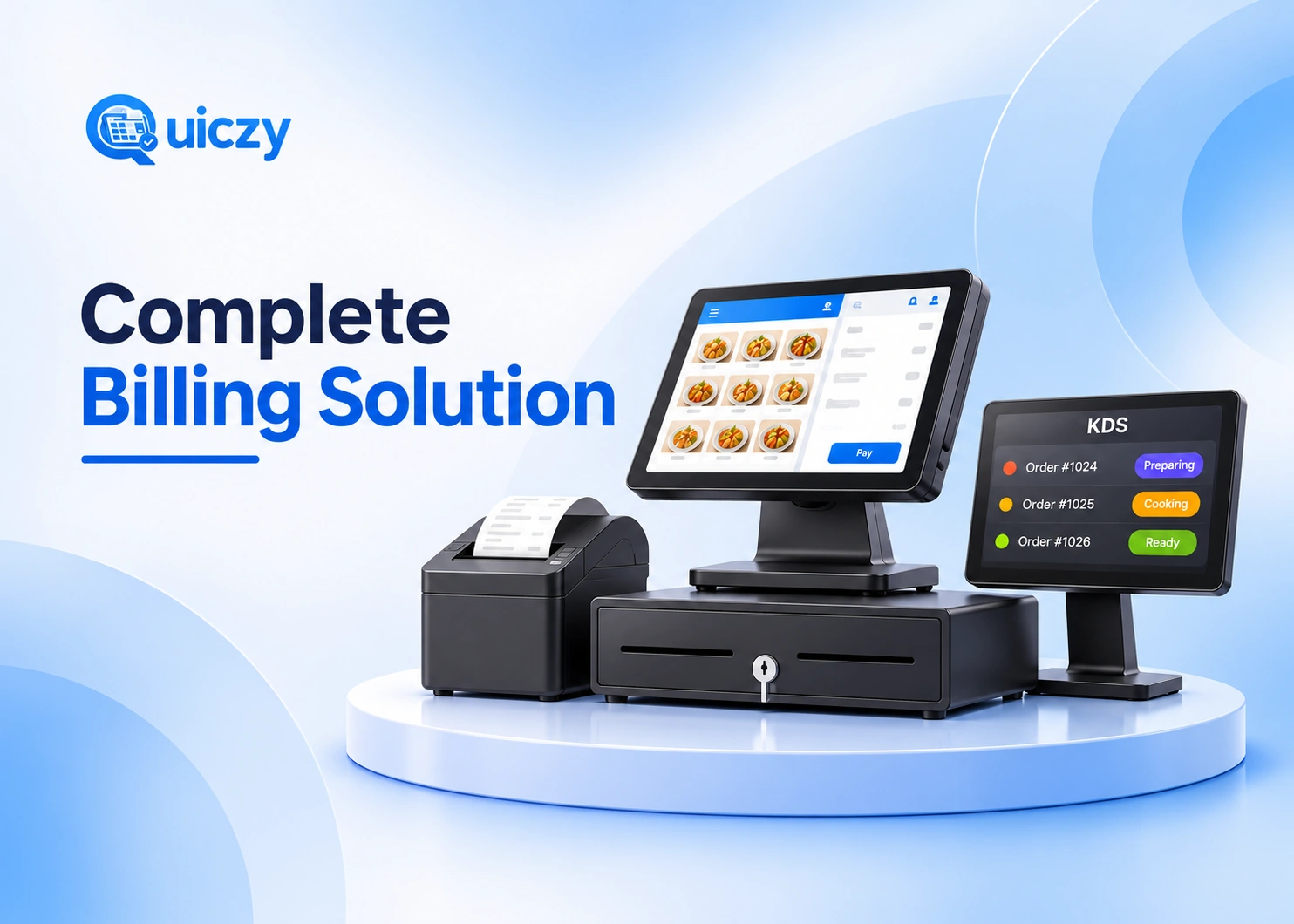
Kitchen Order Tickets (KOTs) help communicate order details to kitchen staff. A Kitchen Display System (KDS) can provide a digital view of incoming orders and their preparation status.
Quiczy lists kitchen displays as part of its product ecosystem and highlights table management and guest counts in its POS billing application.
For restaurants, cafés, and cloud kitchens, these capabilities can help organize communication between the front counter and kitchen team.
Businesses should confirm the exact KOT printing, routing, and kitchen display workflows required for their outlet during a product demonstration.
4. Sales Reports and Business Analytics
Understanding sales performance is important for making business decisions.
Business owners need to know which products sell frequently, how much revenue is generated, and how performance changes over time.
Without organized reporting, gathering this information manually can take considerable effort.
A POS reporting system can help businesses review:
- Daily sales performance
- Product or item-wise sales
- Transaction history
- Sales trends
- Inventory status
- Business performance indicators
Quiczy highlights reports and analytics as one of its core capabilities.
For example, a bakery owner can use sales information to understand which products are popular. A restaurant owner can review sales trends to plan menu operations. A retail store can use product performance information to make better stock decisions.
Access to organized reports helps business owners make decisions based on business activity rather than assumptions.
5. Multi-Store and Centralized Business Management
As a business grows, managing multiple outlets can introduce additional challenges.
Owners may need to monitor sales, coordinate inventory, and understand performance across different locations.
A centralized POS management approach can help bring important information together.
For businesses planning to operate multiple outlets, useful capabilities to evaluate include:
- Outlet-wise sales reporting
- Centralized product or menu management
- Inventory visibility across locations
- Staff access and permissions
- Consolidated business reports
- Outlet-level performance comparison
Quiczy describes its solution as suitable for businesses ranging from individual cafés to growing retail operations. However, businesses planning to manage multiple locations should confirm the available multi-store features, access permissions, and reporting scope with the Quiczy team.
Choosing a system that can support future operational requirements is important when planning business growth.
6. Cloud-Based POS and Web-Based Management
A modern POS solution can combine counter-level billing with web-based administrative controls.
This approach allows employees to handle transactions through the POS application while authorized business users manage relevant information through an administrative interface.
Quiczy highlights an Android POS application and web-based management controls as part of its platform.
A connected setup can help businesses organize activities such as:
- POS configuration
- Tax profile setup
- Menu and item management
- Inventory administration
- Business reporting
- Staff onboarding
Quiczy's published setup process also describes POS configuration, Android installation, menu and web setup, staff onboarding, and go-live support.
For businesses, this type of setup can make implementation more structured and help teams become familiar with the system.
7. How Quiczy POS Supports Different Business Types
Different industries have different billing and management requirements. A flexible POS solution should support the workflows that matter to each business.
Restaurants and Cafes
Restaurants can benefit from faster billing, table management, and kitchen display workflows. These capabilities help organize customer orders and communication between service staff and kitchen teams.
Cloud Kitchens
Cloud kitchens depend heavily on incoming orders and preparation workflows. A POS system with appropriate order and kitchen management capabilities can help teams coordinate daily operations.
Bakeries and Cake Shops
Bakeries need to manage product sales, ingredient stock, and customer transactions. Inventory visibility and organized billing can support everyday store activities.
Supermarkets and Retail Stores
Retail businesses handle multiple products and frequent transactions. Product search, billing, stock tracking, and sales reports are useful capabilities to consider.
Food Courts and Canteens
Food courts and canteens may handle high transaction volumes during peak periods. Quick billing and organized order workflows can help improve counter operations.
Before choosing a POS solution, businesses should identify their specific workflows and confirm that the software supports them.
8. What Should You Consider Before Choosing POS Software?
Not every POS system offers the same capabilities. The right solution depends on business size, industry, operational requirements, and future plans.
Here are some important factors to evaluate:
1. Ease of Use
The billing interface should be easy for cashiers and employees to understand, especially during busy periods.
2. Industry-Specific Features
A restaurant may need table and kitchen management, while a supermarket may prioritize product search and stock tracking.
3. Inventory Capabilities
Check whether the system supports the type of inventory tracking your business requires.
4. Reporting and Analytics
Look for reports that help you understand sales, stock, and business performance.
5. Hardware Compatibility
Check support for the devices and accessories you plan to use, such as Android terminals and thermal printers.
6. Support and Onboarding
A structured setup process and accessible technical support can make the transition easier for employees.
7. Scalability
Consider whether the system can support your future requirements, including additional outlets, employees, or operational workflows.
Taking time to evaluate these areas can help you select POS software that fits your business.
Why Consider Quiczy POS for Your Business?
Managing billing, stock, and daily business activities through disconnected systems can create unnecessary complexity.
Quiczy POS brings together several important capabilities, including Android POS billing, web-based management, inventory tracking, reports and analytics, and kitchen display functionality.
Its published onboarding process covers consultation, POS configuration, Android installation, menu and web setup, staff onboarding, and go-live support.
For businesses looking to organize their everyday operations through a connected POS platform, Quiczy is worth exploring.
You can visit the official website to review its features and request a demonstration:
Website: https://quiczy.com/
Related Articles You May Like
More insights and deep dives matching this topic area.